Introduction to dataRetrieval
dataRetrieval: External Documentation
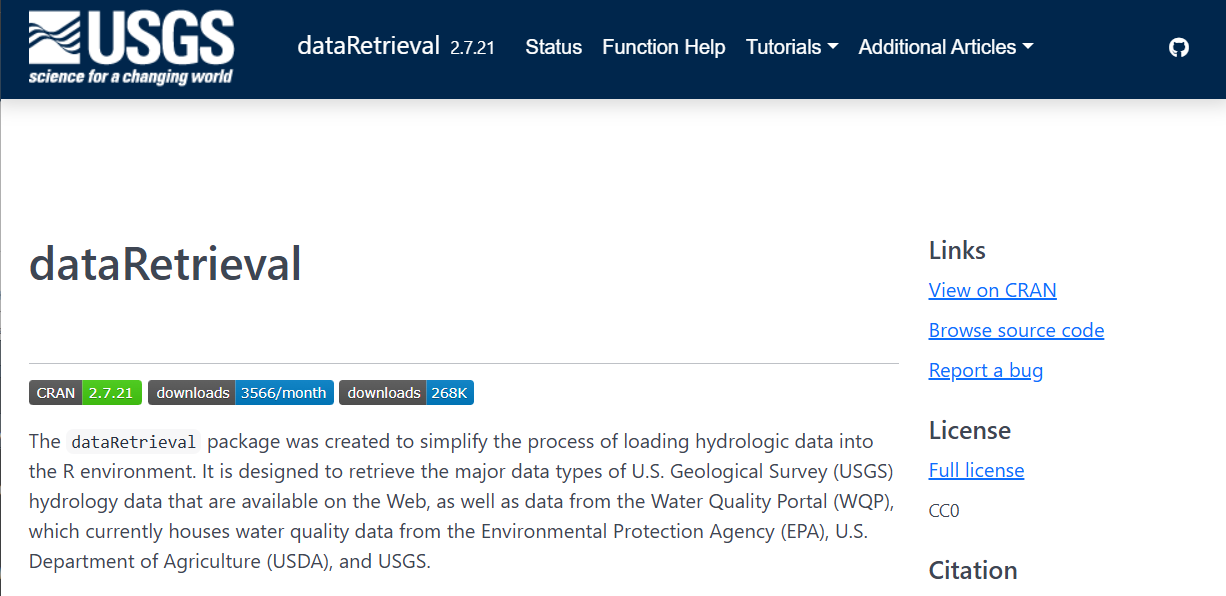
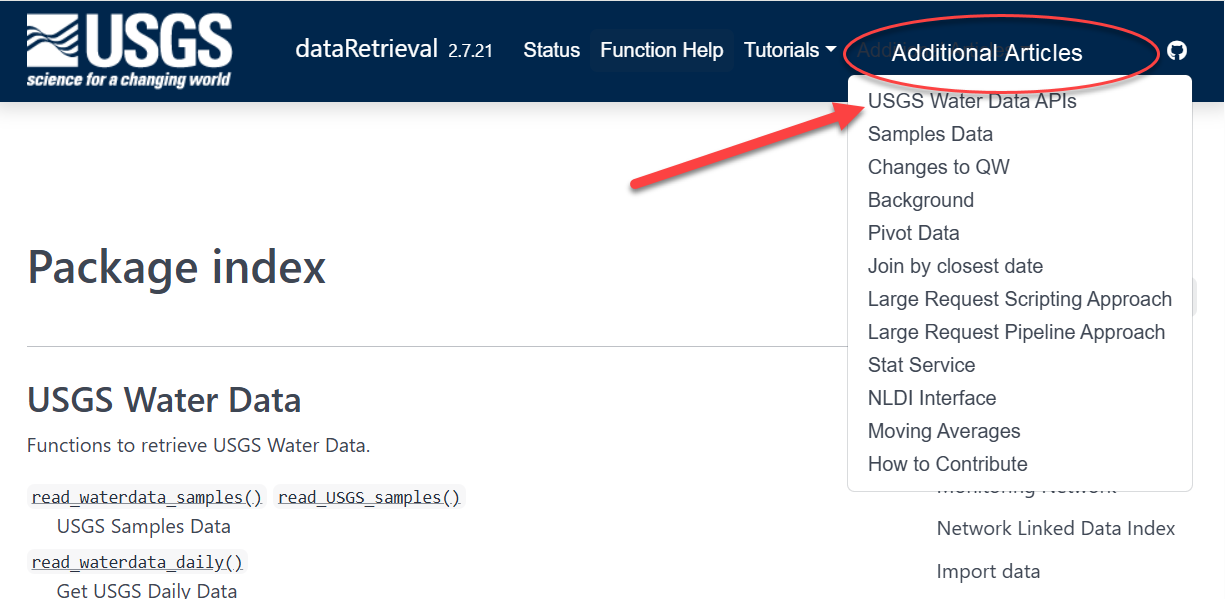
dataRetrieval: External Documentation
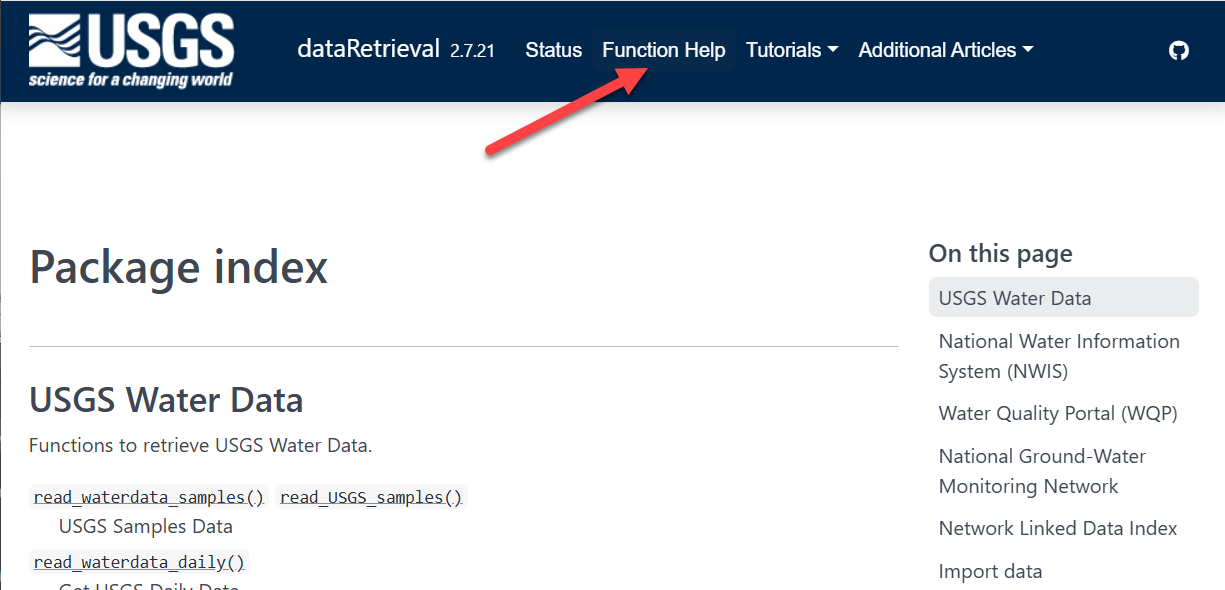
dataRetrieval: External Documentation
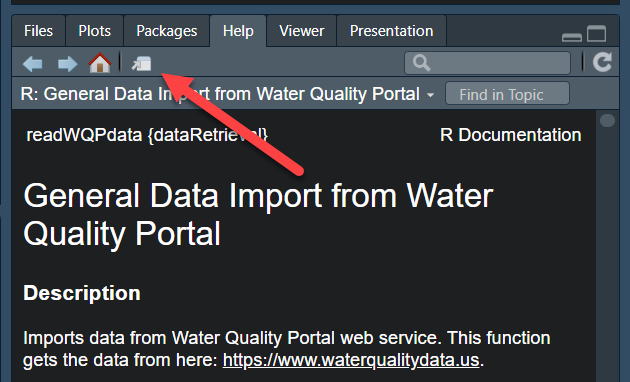
Documentation within R: function help pages
Within R, you can call help files for any dataRetrieval function:
Within Python, you can call help for any dataretrieval function:
Help on function get_daily in module dataretrieval.waterdata.api:

get_daily(monitoring_location_id: 'str | Iterable[str] | None' = None, parameter_code: 'str | Iterable[str] | None' = None, statistic_id: 'str | Iterable[str] | None' = None, properties: 'str | Iterable[str] | None' = None, time_series_id: 'str | Iterable[str] | None' = None, daily_id: 'str | Iterable[str] | None' = None, approval_status: 'str | Iterable[str] | None' = None, unit_of_measure: 'str | Iterable[str] | None' = None, qualifier: 'str | Iterable[str] | None' = None, value: 'str | Iterable[str] | None' = None, last_modified: 'str | Iterable[str] | None' = None, skip_geometry: 'bool | None' = None, time: 'str | Iterable[str] | None' = None, bbox: 'list[float] | None' = None, limit: 'int | None' = None, filter: 'str | None' = None, filter_lang: 'FILTER_LANG | None' = None, convert_type: 'bool' = True) -> 'tuple[pd.DataFrame, BaseMetadata]'
    Daily data provide one data value to represent water conditions for the
    day.

    Throughout much of the history of the USGS, the primary water data available
    was daily data collected manually at the monitoring location once each day.
    With improved availability of computer storage and automated transmission of
    data, the daily data published today are generally a statistical summary or
    metric of the continuous data collected each day, such as the daily mean,
    minimum, or maximum value. Daily data are automatically calculated from the
    continuous data of the same parameter code and are described by parameter
    code and a statistic code. These data have also been referred to as “daily
    values” or “DV”.

    Parameters
    ----------
    monitoring_location_id : string or iterable of strings, optional
        A unique identifier representing a single monitoring location. This
        corresponds to the id field in the monitoring-locations endpoint.
        Monitoring location IDs are created by combining the agency code of
        the agency responsible for the monitoring location (e.g. USGS) with
        the ID number of the monitoring location (e.g. 02238500), separated
        by a hyphen (e.g. USGS-02238500).
    parameter_code : string or iterable of strings, optional
        Parameter codes are 5-digit codes used to identify the constituent
        measured and the units of measure. A complete list of parameter
        codes and associated groupings can be found at
        https://help.waterdata.usgs.gov/codes-and-parameters/parameters.
    statistic_id : string or iterable of strings, optional
        A code corresponding to the statistic an observation represents.
        Example codes include 00001 (max), 00002 (min), and 00003 (mean).
        A complete list of codes and their descriptions can be found at
        https://help.waterdata.usgs.gov/code/stat_cd_nm_query?stat_nm_cd=%25&fmt=html.
    properties : string or iterable of strings, optional
        A list of requested columns to be returned from the query.
        Available options are: geometry, id, time_series_id,
        monitoring_location_id, parameter_code, statistic_id, time, value,
        unit_of_measure, approval_status, qualifier, last_modified
    time_series_id : string or iterable of strings, optional
        A unique identifier representing a single time series. This
        corresponds to the id field in the time-series-metadata endpoint.
    daily_id : string or iterable of strings, optional
        A universally unique identifier (UUID) representing a single version of
        a record. It is not stable over time. Every time the record is refreshed
        in our database (which may happen as part of normal operations and does
        not imply any change to the data itself) a new ID will be generated. To
        uniquely identify a single observation over time, compare the time and
        time_series_id fields; each time series will only have a single
        observation at a given time.
    approval_status : string or iterable of strings, optional
        Some of the data that you have obtained from this U.S. Geological Survey
        database may not have received Director's approval. Any such data values
        are qualified as provisional and are subject to revision. Provisional
        data are released on the condition that neither the USGS nor the United
        States Government may be held liable for any damages resulting from its
        use. This field reflects the approval status of each record, and is either
        "Approved", meaning processing review has been completed and the data is
        approved for publication, or "Provisional" and subject to revision. For
        more information about provisional data, go to:
        https://waterdata.usgs.gov/provisional-data-statement/.
    unit_of_measure : string or iterable of strings, optional
        A human-readable description of the units of measurement associated
        with an observation.
    qualifier : string or iterable of strings, optional
        This field indicates any qualifiers associated with an observation, for
        instance if a sensor may have been impacted by ice or if values were
        estimated.
    value : string or iterable of strings, optional
        The value of the observation. Values are transmitted as strings in
        the JSON response format in order to preserve precision.
    last_modified : string, optional
        The last time a record was refreshed in our database. This may happen
        due to regular operational processes and does not necessarily indicate
        that anything about the measurement has changed. You can query this field
        using date-times or intervals, adhering to RFC 3339, or using ISO 8601
        duration objects. Intervals may be bounded or half-bounded (double-dots
        at start or end).
        Examples:

            * A date-time: "2018-02-12T23:20:50Z"
            * A bounded interval: "2018-02-12T00:00:00Z/2018-03-18T12:31:12Z"
            * Half-bounded intervals: "2018-02-12T00:00:00Z/.." or
                "../2018-03-18T12:31:12Z"
            * Duration objects: "P1M" for data from the past month or
                "PT36H" for the last 36 hours

        Only features that have a last_modified that intersects the value of
        datetime are selected.
    skip_geometry : boolean, optional
        This option can be used to skip response geometries for each feature.
        The returning object will be a data frame with no spatial information.
        Note that the USGS Water Data APIs use camelCase "skipGeometry" in
        CQL2 queries.
    time : string, optional
        The date an observation represents. You can query this field using
        date-times or intervals, adhering to RFC 3339, or using ISO 8601
        duration objects. Intervals may be bounded or half-bounded (double-dots
        at start or end). Only features that have a time that intersects the
        value of datetime are selected. If a feature has multiple temporal
        properties, it is the decision of the server whether only a single
        temporal property is used to determine the extent or all relevant
        temporal properties.
        Examples:

            * A date-time: "2018-02-12T23:20:50Z"
            * A bounded interval: "2018-02-12T00:00:00Z/2018-03-18T12:31:12Z"
            * Half-bounded intervals: "2018-02-12T00:00:00Z/.." or
                "../2018-03-18T12:31:12Z"
            * Duration objects: "P1M" for data from the past month or
                "PT36H" for the last 36 hours

    bbox : list of numbers, optional
        Only features that have a geometry that intersects the bounding box are
        selected.  The bounding box is provided as four or six numbers,
        depending on whether the coordinate reference system includes a vertical
        axis (height or depth). Coordinates are assumed to be in crs 4326. The
        expected format is ``[xmin, ymin, xmax, ymax]``, i.e.
        ``[Western-most longitude, Southern-most latitude, Eastern-most
        longitude, Northern-most latitude]``.
    limit : int, optional
        The optional limit parameter is used to control the subset of the
        selected features that should be returned in each page. The maximum
        allowable limit is 50000. It may be beneficial to set this number lower
        if your internet connection is spotty. The default (None) will set the
        limit to the maximum allowable limit for the service.
    filter, filter_lang : optional
        Server-side CQL filter passed through as the OGC ``filter`` /
        ``filter-lang`` query parameters. See
        :mod:`dataretrieval.ogc.filters` for syntax, auto-chunking,
        and the lexicographic-comparison pitfall.
    convert_type : boolean, optional
        If True, converts columns to appropriate types.

    Returns
    -------
    df : ``pandas.DataFrame`` or ``geopandas.GeoDataFrame``
        Formatted data returned from the API query.
    md: :obj:`dataretrieval.utils.BaseMetadata`
        A custom metadata object

    Raises
    ------
    ChunkInterrupted
        A transient failure (429 / 5xx / timeout) interrupted the request
        after the built-in retries. Completed work is preserved; resume
        with ``exc.call.resume()`` (see :doc:`/userguide/errors`).

    Examples
    --------
    .. code::

        >>> # Get daily flow data from a single site
        >>> # over a yearlong period
        >>> df, md = dataretrieval.waterdata.get_daily(
        ...     monitoring_location_id="USGS-02238500",
        ...     parameter_code="00060",
        ...     time="2021-01-01T00:00:00Z/2022-01-01T00:00:00Z",
        ... )

        >>> # Quick "show me the last week" idiom (ISO 8601 duration)
        >>> df, md = dataretrieval.waterdata.get_daily(
        ...     monitoring_location_id="USGS-02238500",
        ...     parameter_code="00060",
        ...     time="P7D",
        ... )

        >>> # Get approved daily flow data from multiple sites
        >>> df, md = dataretrieval.waterdata.get_daily(
        ...     monitoring_location_id=["USGS-05114000", "USGS-09423350"],
        ...     approval_status="Approved",
        ...     time="2024-01-01/..",
        ... )

        >>> # Pull only rows whose underlying record was refreshed in the
        >>> # last 7 days — handy for incremental ETL polling
        >>> df, md = dataretrieval.waterdata.get_daily(
        ...     monitoring_location_id="USGS-02238500",
        ...     parameter_code="00060",
        ...     last_modified="P7D",
        ... )

        >>> # Chain queries: pull all stream sites in a state, then their
        >>> # daily discharge for the last week. The site list can be hundreds
        >>> # of values long — the request is transparently chunked across
        >>> # multiple sub-requests so the URL stays under the server's byte
        >>> # limit. Combined output looks like a single query.
        >>> sites_df, _ = dataretrieval.waterdata.get_monitoring_locations(
        ...     state="Ohio",
        ...     site_type="Stream",
        ... )
        >>> df, md = dataretrieval.waterdata.get_daily(
        ...     monitoring_location_id=sites_df["monitoring_location_id"].tolist(),
        ...     parameter_code="00060",
        ...     time="P7D",
... )USGS Water Data API Token: Example
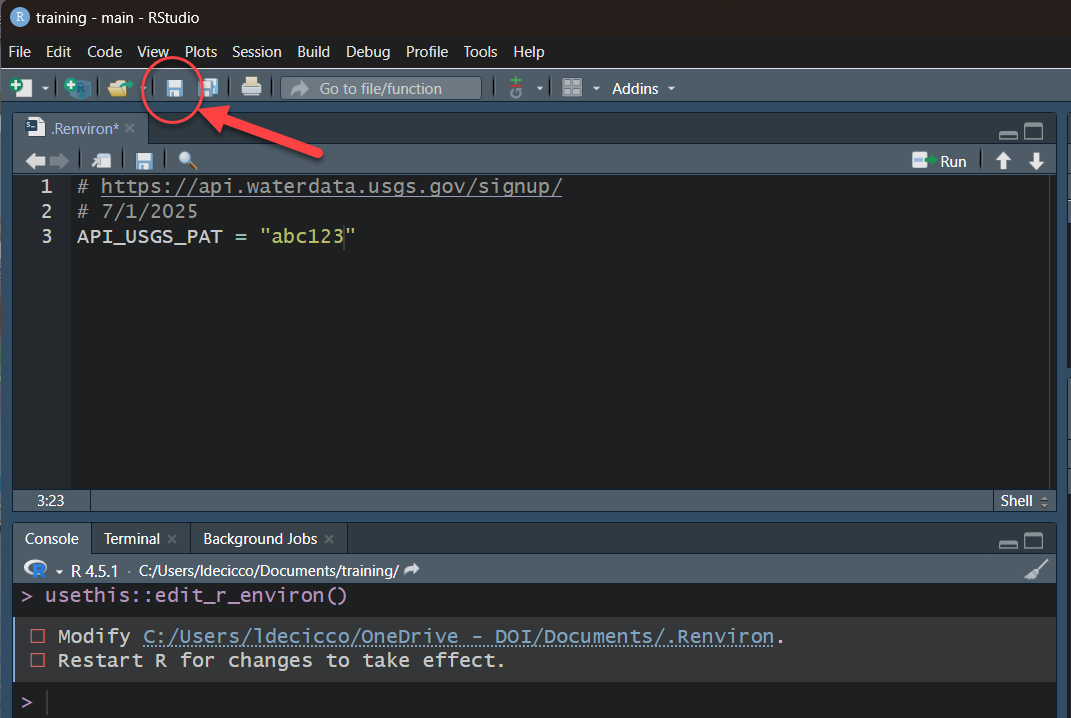
After save and restart, check that it worked by running:
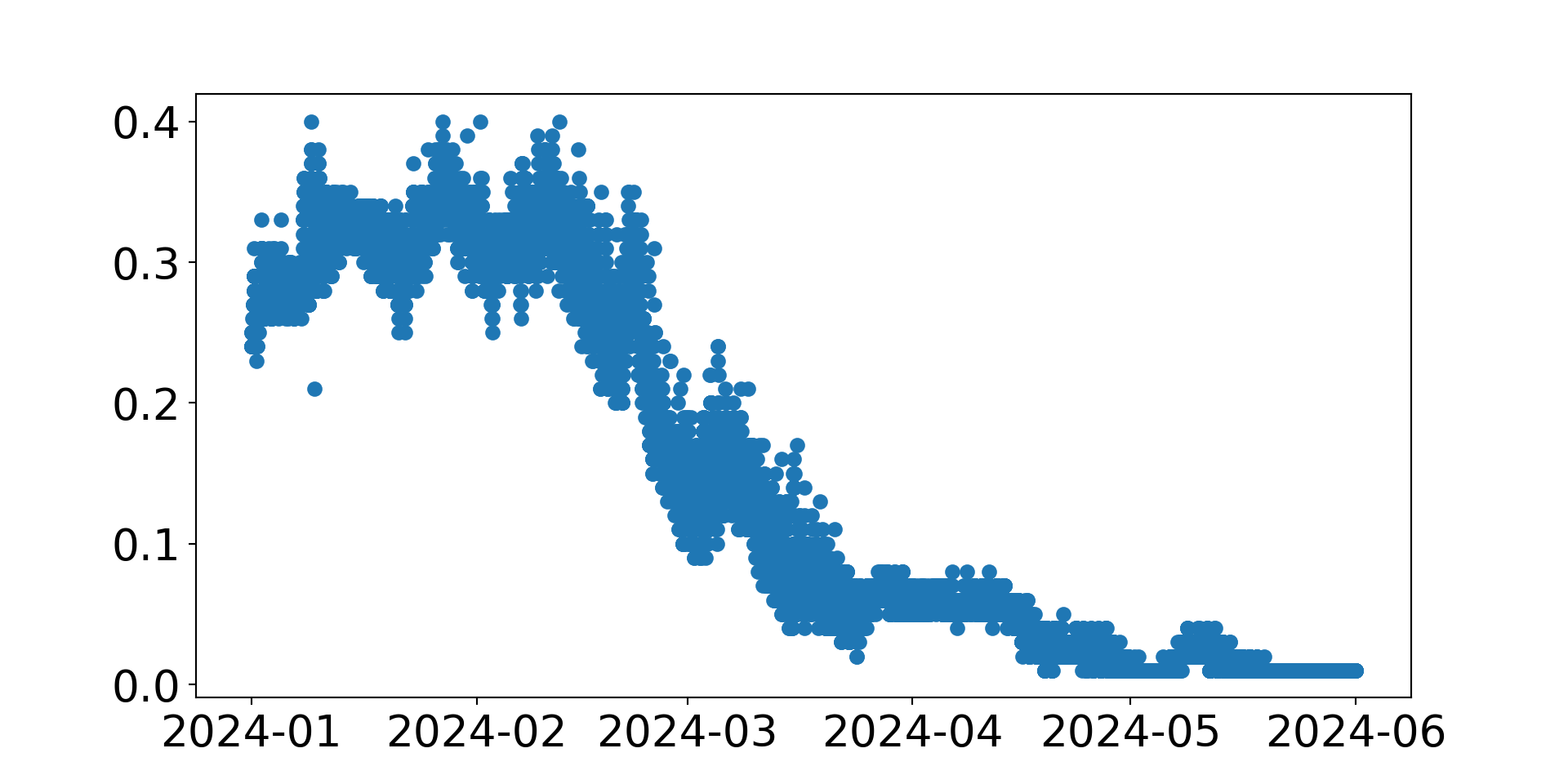
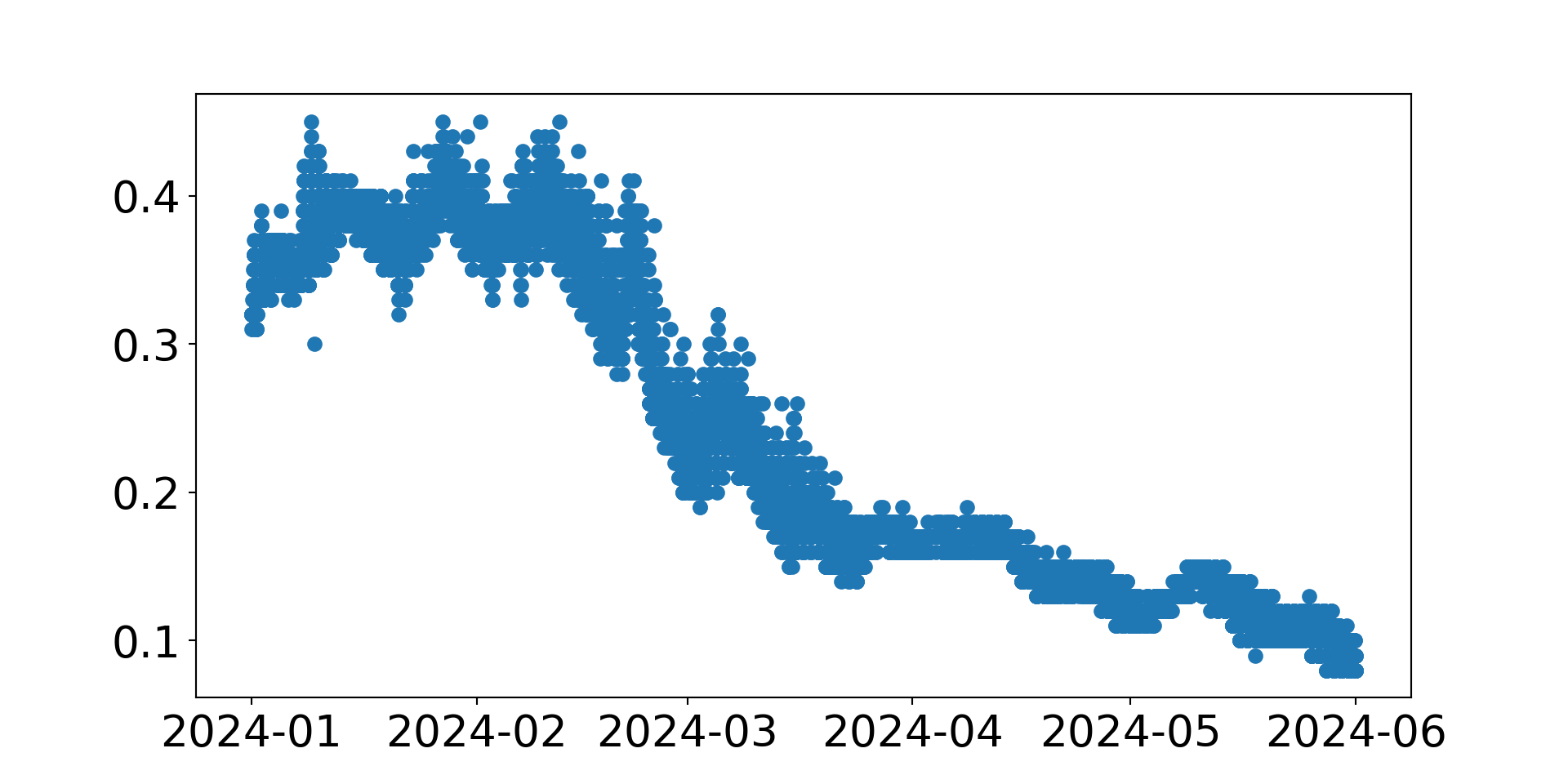
Workflow 1: Plot Daily Data
Let’s use ggplot2 to visualize the data.
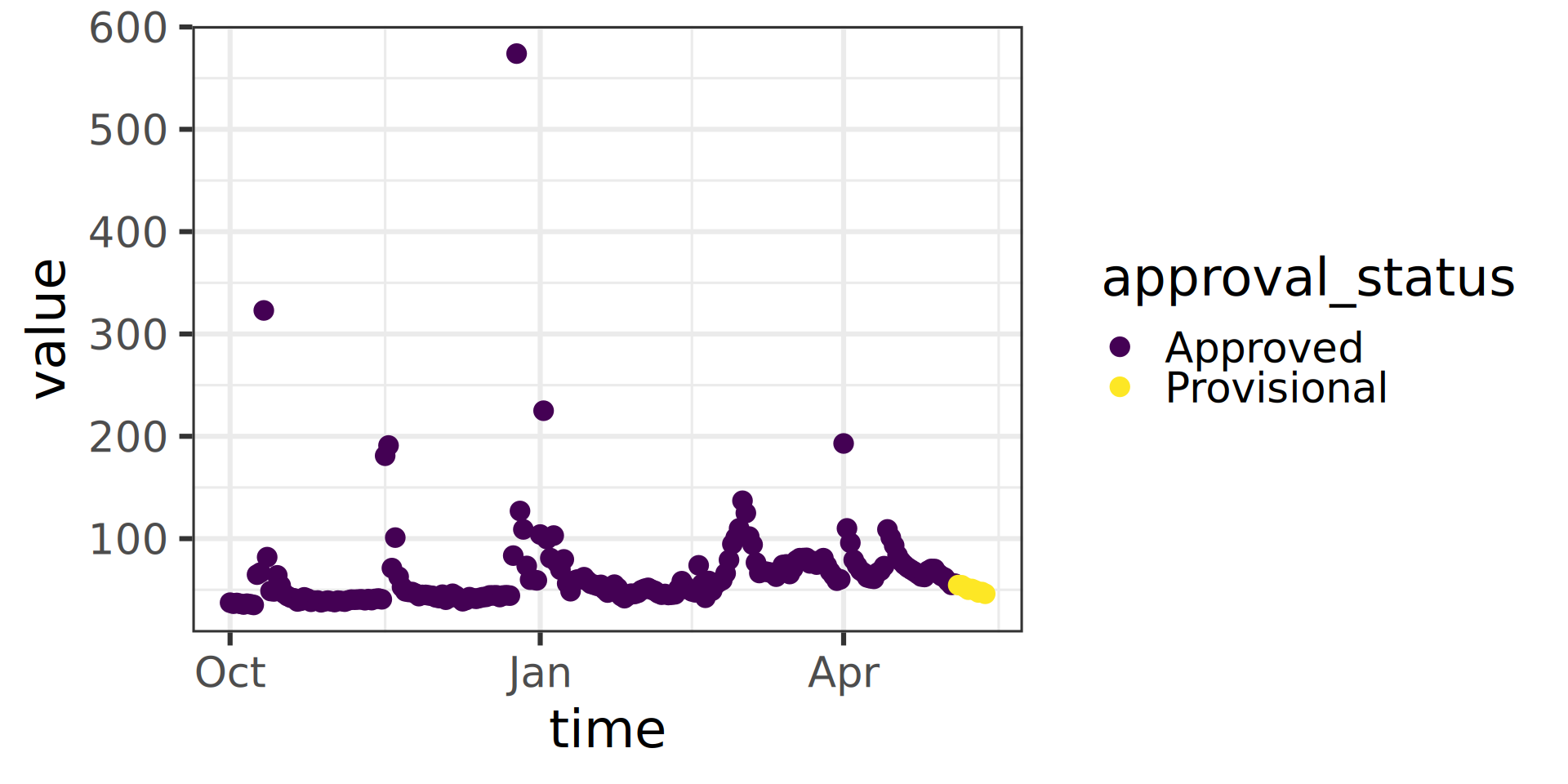
Let’s use matplotlib to visualize the data.

Water Data API Notes: Argument input
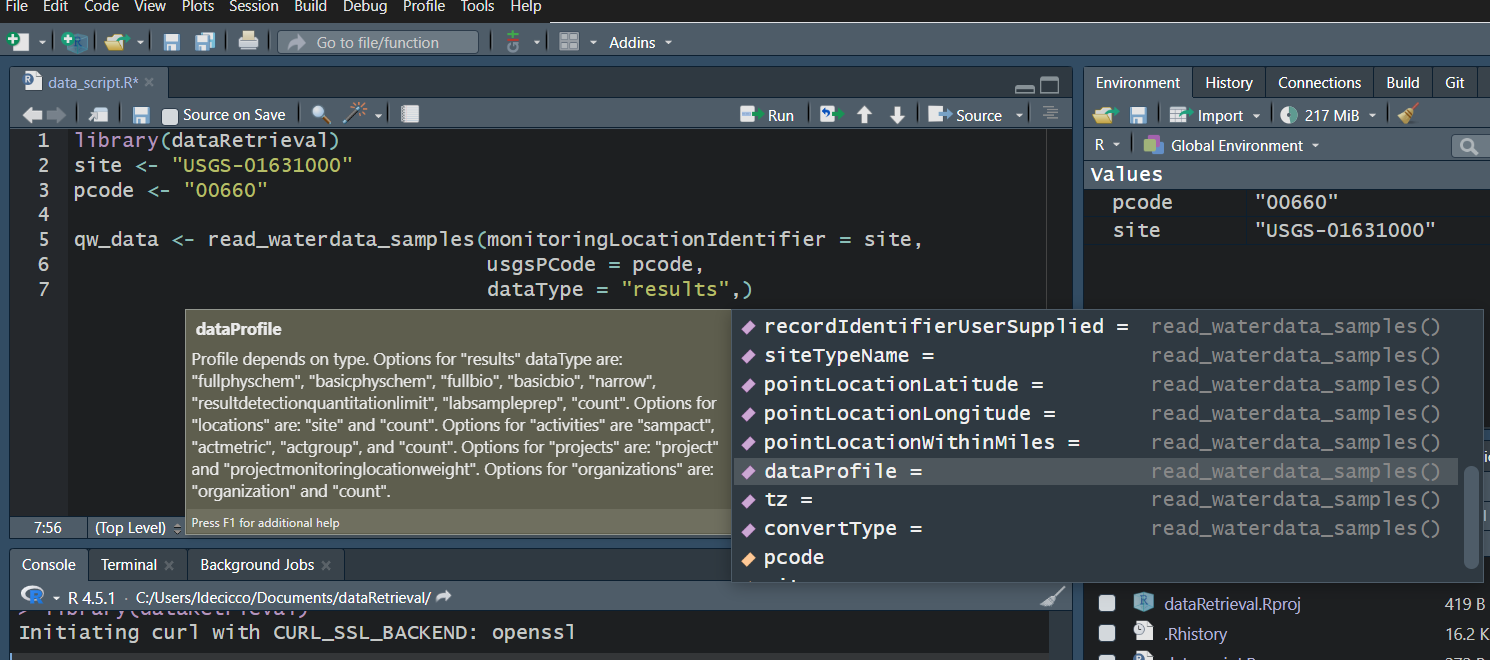
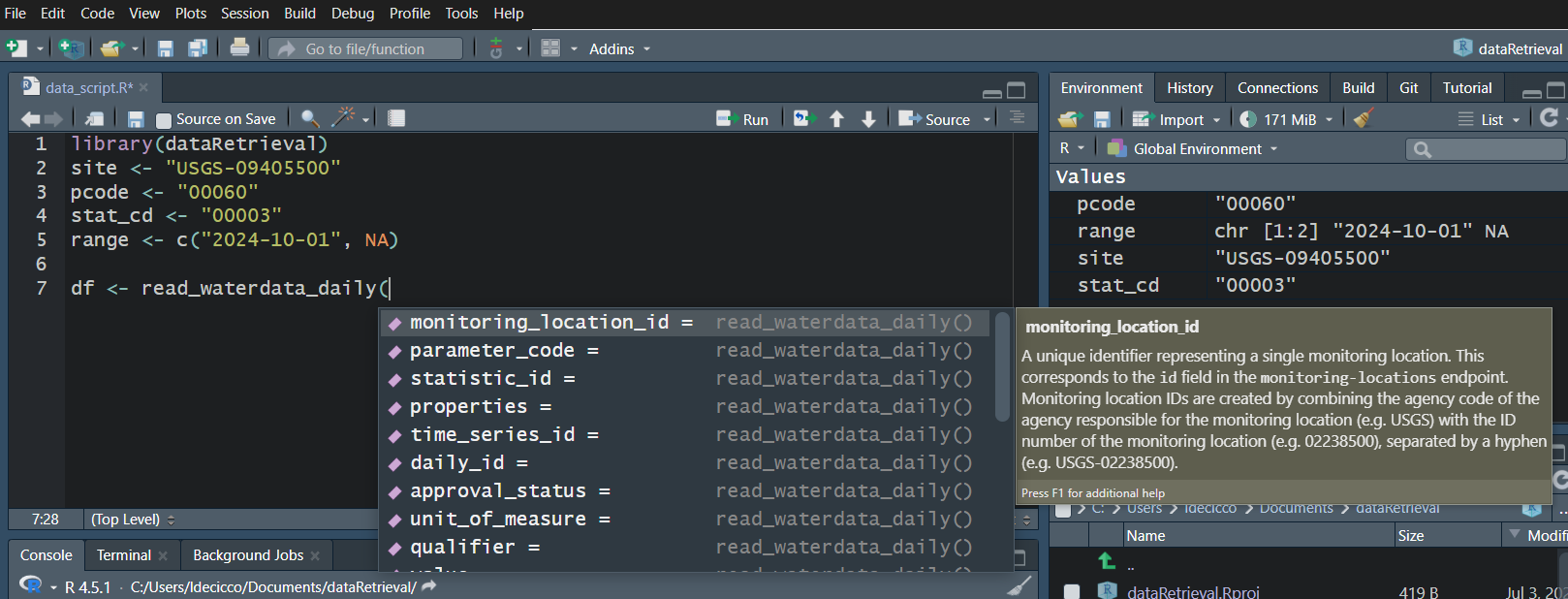
Use your “tab” key!
Workflow 2: Discrete data for known site
Use your “tab” key!